


Videoleap: AI Video Editor
4.53.45K Reviews
App Specs
- Version
- 1.39.1
- Updated On
- License
- Free
- Downloads
- 10,000,000+
- Developer
- Lightricks Ltd.
- Categories
- Video Players & Editors
- Platform
- Android, iOS
Screenshots
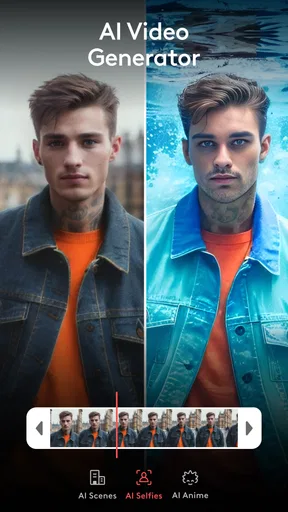
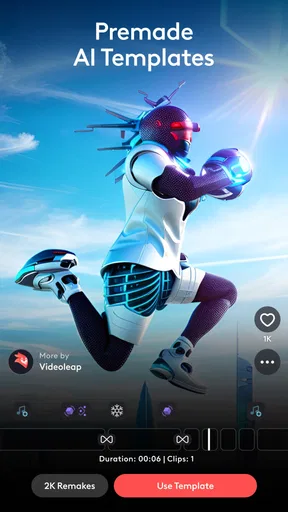
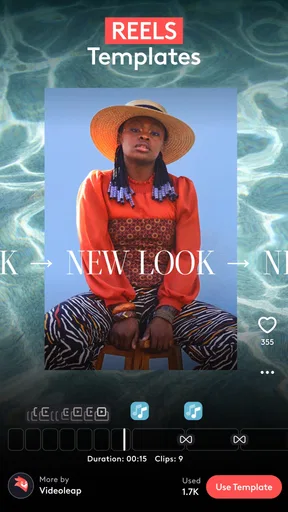
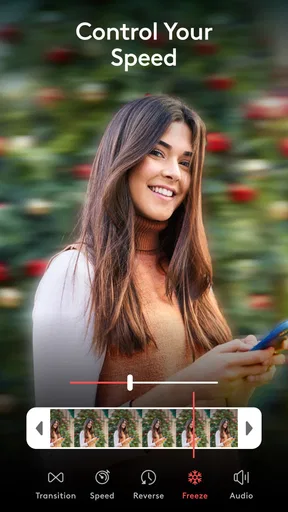
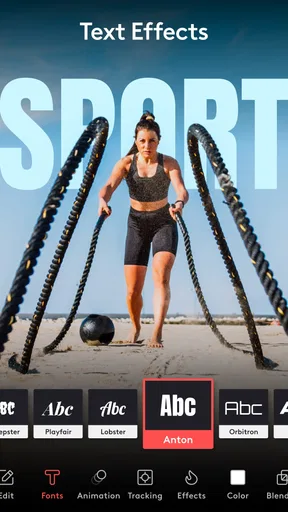
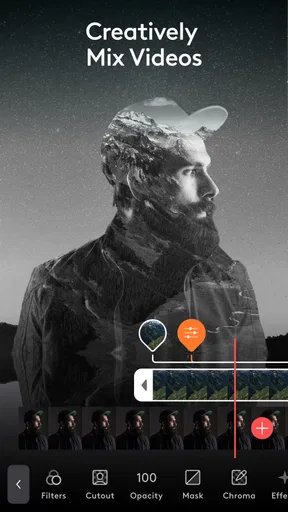
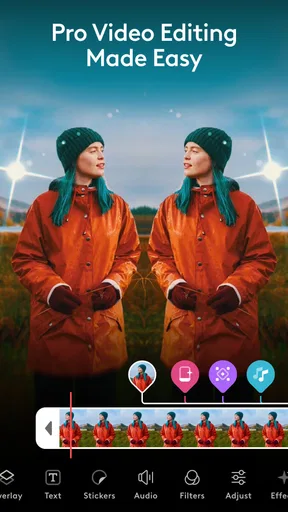

 Analysis by AppCompare
When I edit on a phone, I want to spend more time shaping the story than hunting through menus. Videoleap: AI Video Editor is built for that quick, visual approach: it brings clips, images, text, effects, and sound into one mobile editing space. I find it most appealing when I have a clear idea for a short video but don’t want to move to a desktop just to assemble it. Its tools invite experimentation, though the number of choices can become a hurdle if you prefer a very simple, guided process.
Who will feel at home in the editor
Videoleap is a video editing app from Lightricks Ltd., in the Video Players & Editors category. It’s free to install, with in-app purchases ranging from $3.99 to $299.99 per item. The app is rated for Teen users, and its current version is 1.39.1, requiring Android 8.0 or later. It has a 4.5 average from around 198,000 ratings and more than 10 million installs, so it has found a large audience among people who want editing tools on a phone.
I’d point a first-time creator toward it if they want to combine a few clips, give them a consistent look, add a title, and make a social-ready edit without learning desktop software first. Someone who regularly makes short-form videos may also appreciate having layers and a timeline available in the same place. By contrast, if your main need is simply to cut the beginning and end off a clip, the extra creative controls may feel like more interface than the task deserves.
Readable choices, with a learning curve
First impressions matter in an editor because a crowded screen can make a simple change feel hard. In my experience, Videoleap’s main dashboard gives the tools a visible home rather than hiding the whole workflow behind unfamiliar terminology. That makes it easier to start exploring. Still, once a project contains several layers, titles, and effects, the timeline asks for more attention. It helps to make one change at a time and preview it before moving on; otherwise, it is easy to lose track of which element you are adjusting.
For a clearer workflow, I’d begin by arranging the footage before adding decoration. Trim the clips, put them in story order, and then add text or effects. That small decision saves backtracking, especially when a title needs to sit over a particular moment. I also recommend keeping a simple version of the edit in mind before trying every visual option. Effects are enjoyable, but too many competing treatments can make the finished video harder to follow.
Touch editing and sensory comfort
Editing on a touchscreen is convenient, but it is not automatically easy for every hand or every viewing situation. Trimming and arranging depend on precise gestures, and small adjustments may take patience. If a motion is difficult or tiring, a shorter project with fewer layers is a more comfortable place to begin than a dense montage. I’d also pause between editing passes rather than trying to complete a complicated video in one uninterrupted sitting.
Visual effects, movement, changing colors, and audio all affect how comfortable a finished video feels. The app gives creators ways to shape those elements, but that also means the editor has to make deliberate choices. I’d use effects to support the subject instead of stacking them simply because they are available. For captions, I’d choose readable wording and a clear contrast against the footage, then preview the result on the phone screen where people are likely to watch it. That is a practical check, not a substitute for testing on every display.
Worth Reading Before You Choose

EA SPORTS FC Mobile 26 Is a Bigger Football Game, but It Takes Time

Flipboard Shows What News Apps Must Do Beyond the Feed

Switching to Android Auto Means Rethinking Your Driving Routine

Google Calendar Makes a Crowded Week Easier to Manage

Ludo King Makes the Most of the Minutes Between Plans

Baby Panda World Brings Quick Play to Modern Phones, but Its Game Library Feels Busy
A useful fit for everyday projects
A realistic use for me would be turning a few clips from a weekend outing into a short recap: select the moments that carry the story, trim pauses, add a brief title, and adjust the soundtrack or voiceover so it does not compete with the images. Videoleap’s layers are useful here because text and images can be combined with video rather than treated as separate tasks. I’d keep the edit restrained and check the whole timeline once before exporting, since a polished opening cannot rescue a confusing middle.
That kind of project also shows where the app differs from a basic gallery editor. A built-in phone editor is often faster for a single trim or a quick crop, while Videoleap makes more sense when I want to arrange a sequence, work with overlays, or give clips a deliberate style. A desktop editor is the better choice when a project calls for long-form organization, extensive fine control, or a larger working surface. Videoleap sits between those extremes: more creative room than a quick trim tool, without making a phone the ideal place for every serious edit.
What to check before committing to a workflow
The free entry point makes it reasonable to explore, but I would check which tools are available to me before building a project around a particular effect or editing option. Some advanced tools sit behind paid access, and the in-app purchase range stretches from $3.99 to $299.99 per item. That broad range makes it sensible to review the purchase details in the app rather than assume that every creative tool is included for free. If I only need occasional basic edits, I’d avoid paying until I know exactly which locked feature would save me time.
Another practical question is whether a phone can handle the project comfortably. Layering and effects can demand more from a device than trimming a single clip, and older hardware may feel less responsive. I’d start with a short test edit before committing a large batch of footage, especially on a device that already slows down with demanding apps. That gives me a chance to judge the editing experience and export workflow for myself without turning an important project into a trial run.
Getting started without making the edit harder
First things first, downloading the app was a breeze. Available on both Android and iOS, it installed quickly with just a tap. Once you're in, the interface is surprisingly intuitive. For someone like me who’s not exactly a tech wizard, I appreciated how user-friendly it was. The main dashboard is clean, with everything neatly laid out, so you’re not overwhelmed with options.
Creating, refining, and sharing
I use this section to focus on the choices that turn a rough set of clips into a finished piece, from arranging a clear sequence to checking its pacing before sharing. A useful habit is to decide what the viewer should understand first, then make the opening, captions, and sound support that idea rather than compete for attention.
Features That Stand Out
Now, onto the fun stuff. Videoleap has a ton of features that can turn your simple clips into cinematic masterpieces. The AI-powered tools are the star of the show. Whether it's auto-editing your footage or suggesting creative enhancements, the AI is like having a personal assistant whispering creative ideas in your ear.
The app offers a range of filters and effects that you can apply with just a tap. Want to give your video a vintage look or make it pop with vibrant colors? It’s all there. The layering feature is another gem, allowing you to stack videos, images, and text in one project. This opens up endless possibilities for creativity.
Editing Like a Pro
One of the things I love about Videoleap: AI Video Editor is how it empowers you to edit like a pro, even if you’re a beginner. The timeline feature is slick, letting you trim and arrange clips with precision. You can also adjust the speed of your clips for dramatic slow-motion effects or speed things up for a time-lapse.
The text and title options are worth mentioning too. Adding captions or fancy titles is straightforward, and you can customize fonts, colors, and animations to suit your style. And if you’re into sound editing, there’s a built-in audio mixer to tweak your soundtracks or add voiceovers.
Sharing Your Creations
Once you’re done editing, exporting your creations is a snap. The app supports different formats and resolutions, so you can tailor your exports to suit various platforms, whether it's Instagram, YouTube, or TikTok. Sharing directly from the app is seamless, making it easy to showcase your work to the world.
Before exporting, I’d watch the full edit once with the sound on and once with the sound off. The first pass helps catch abrupt audio changes; the second reveals whether the images and captions carry the story on their own. It is also worth checking the first and last moments rather than focusing only on the middle: a clip can feel unfinished if its opening starts mid-action or its ending cuts off too sharply. This simple review is especially helpful when the video will be watched quickly in a social feed.
Room for Improvement?
No app is perfect, and Videoleap is no exception. While it offers a plethora of features, some advanced tools are locked behind a paywall. For those serious about video editing, the premium subscription might be worth it, but casual users might find it a bit pricey. Also, the app can be a bit resource-heavy, so older devices might struggle to keep up.
But hey, if you’re serious about stepping up your video editing game, the investment could be worthwhile. After all, the creativity and control you get with this app are top-notch.
Remaining barriers and a fair assessment
The editor’s flexibility is useful, but it does not remove every access barrier. A screen with many controls can be tiring to scan, and precise touchscreen work may be awkward for anyone who finds small targets or repeated gestures uncomfortable. I would not assume that a mobile timeline is automatically easier than a desktop one; the smaller canvas is convenient to carry, but it leaves less room to see a complex project at a glance.
There is also a difference between making a video and making one that works well for different viewers. Captions can help communicate without relying on audio, while restrained motion and readable text can make a project easier to follow. Those choices remain the creator’s responsibility, and an effect-heavy style may not suit every audience or viewing context. If accessibility is central to your work, I’d plan for careful review and consider a workflow with the specific checking tools you need, rather than treating any general-purpose editor as a complete solution.
For people who need extensive keyboard control, a large preview, or a highly structured long-form workflow, I’d lean toward desktop editing software instead. If fine touch control is the main obstacle, a simpler editor with fewer layers may be less frustrating. Videoleap is at its best when the goal is a compact, visual project and the creator is comfortable working directly on a phone or tablet.
Final Thoughts
In a nutshell, Videoleap: AI Video Editor is a fantastic tool for both budding creators and seasoned editors. Its ease of use, combined with powerful features, makes it a go-to choice for anyone looking to transform their videos into something special. Whether you’re making a quick social media post or a short film, this app has got your back.
So, if you’re ready to take your video editing to the next level, give Videoleap a shot. You might just discover a new passion for filmmaking. Happy editing!
My inclusive verdict
I see Videoleap as a capable choice for people who want more than a one-tap trim, especially when they value layers, visual effects, titles, and audio adjustments in a mobile editor. Its approachable entry point is balanced by a real learning curve, paid tools, and the physical and visual demands of touch-based timeline work. I’d recommend trying a small, low-stakes project first, then deciding whether its controls feel comfortable and its free tools cover your needs. If they do, it can be a satisfying place to shape short videos; if not, a simpler or desktop-based alternative may serve you better.
Pros
- Intuitive interface for easy editing.
- Wide range of advanced editing tools.
- High-quality export options available.
- Seamless integration with social media.
- Regular updates with new features.
Cons
- Some features require a subscription.
- Occasional lag on older devices.
- Limited free version capabilities.
- Export time can be lengthy.
- Ads present in the free version.
FAQs for Videoleap: AI Video Editor
What is Videoleap: AI Video Editor and what features does it offer?
Videoleap: AI Video Editor is a powerful mobile app designed for video editing enthusiasts and professionals. It offers a range of features, including AI-driven tools for automatic video enhancements, multi-layer editing, blending modes, and creative transitions. Users can also enjoy the convenience of intuitive cutting, trimming, and the addition of dynamic effects to their videos.
Is Videoleap: AI Video Editor suitable for beginners?
Yes, Videoleap is designed to be user-friendly, making it suitable for beginners as well as advanced users. The app provides tutorials and guides to help newcomers navigate its features. Its intuitive interface and easy-to-use tools allow beginners to start editing videos with minimal learning curve while exploring more advanced features at their own pace.
Does Videoleap: AI Video Editor require an internet connection?
Videoleap can be used offline for most of its editing features, allowing users to work on their projects without an internet connection. However, some features, such as accessing online resources or updates, may require connectivity. It's recommended to have occasional internet access to fully utilize all features and receive the latest updates.
Are there any costs associated with using Videoleap: AI Video Editor?
Videoleap offers a free version with basic editing tools and features. However, for access to premium features, such as advanced effects, transitions, and AI tools, users may need to subscribe to a paid plan. The subscription enhances the editing experience and unlocks additional resources for more professional results.
What devices are compatible with Videoleap: AI Video Editor?
Videoleap: AI Video Editor is available for both Android and iOS devices. It is compatible with most smartphones and tablets that meet the app's system requirements. Users should ensure their device has sufficient storage and processing power to handle video editing tasks for optimal performance and experience.


